
Download Free UPX Portable – Portable Executable Compression Tool
Overview
Free UPX Portable is a lightweight utility designed to simplify the compression and decompression of executable files. Built around the UPX (Ultimate Packer for eXecutables) engine, this tool enables users to reduce the size of .exe and .dll files without altering their functionality. The primary purpose of Free UPX Portable is to optimize storage space and improve file transfer efficiency—ideal for developers, system administrators, and software testers who frequently handle large binaries. It addresses the common challenge of managing bulky executable files by offering rapid, lossless compression with minimal user intervention.
The app is particularly beneficial for professionals working across multiple machines, as it operates without installation. This portability allows users to carry the tool on a USB drive and use it on any compatible computer, ensuring consistent access to compression capabilities regardless of the environment. Real-world use cases include streamlining software distribution, reducing bandwidth usage during file transfers, and optimizing embedded system resources where space is limited.
Although the developer did not provide additional technical details, the tool’s focus on simplicity, speed, and cross-device usability positions it as a valuable asset in the software utility ecosystem. Its ability to function independently of system configurations makes it a reliable choice for users seeking a no-frills, efficient compression solution.
Key Features & Functionality
- User-Friendly Interface: The intuitive UI enables quick navigation and file handling through drag-and-drop functionality, reducing the learning curve for new users. This feature is especially helpful for individuals without technical expertise who still need to compress executables.
- Command Line Access: Users can access UPX command line parameters directly, allowing for detailed analysis of compression results. This includes viewing original and compressed file sizes, compression ratios, and the version of UPX used, which is critical for debugging and validation.
- Portable Operation: The tool requires no installation, making it ideal for temporary or shared workstations. It can be run directly from a USB drive or any local directory, preserving user settings and avoiding system-level changes.
- Efficient File Compression: Leveraging the UPX algorithm, Free UPX Portable achieves high compression ratios while maintaining full runtime compatibility. Files are compressed quickly and decompressed on demand without performance degradation.
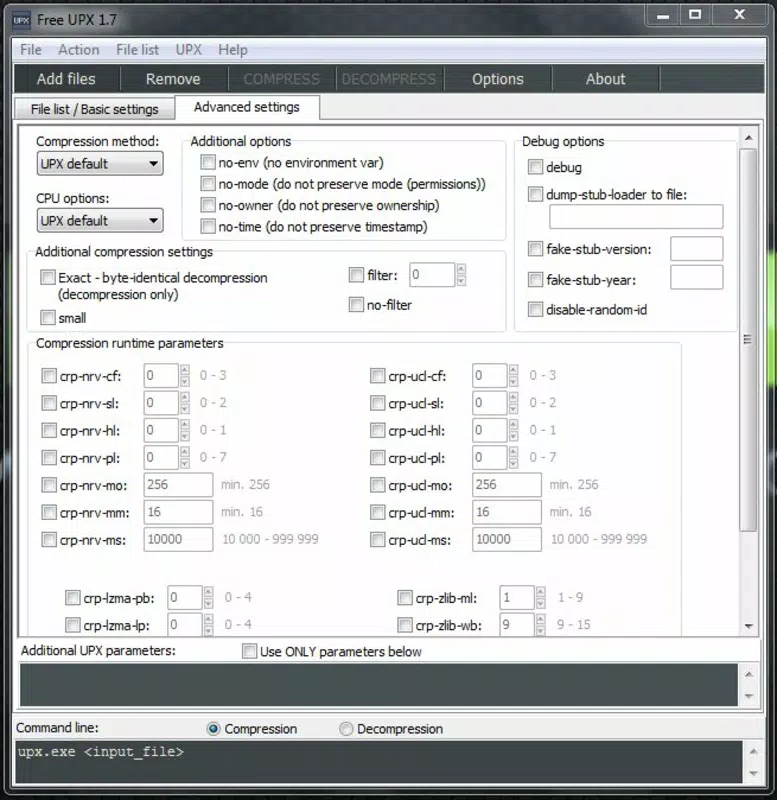
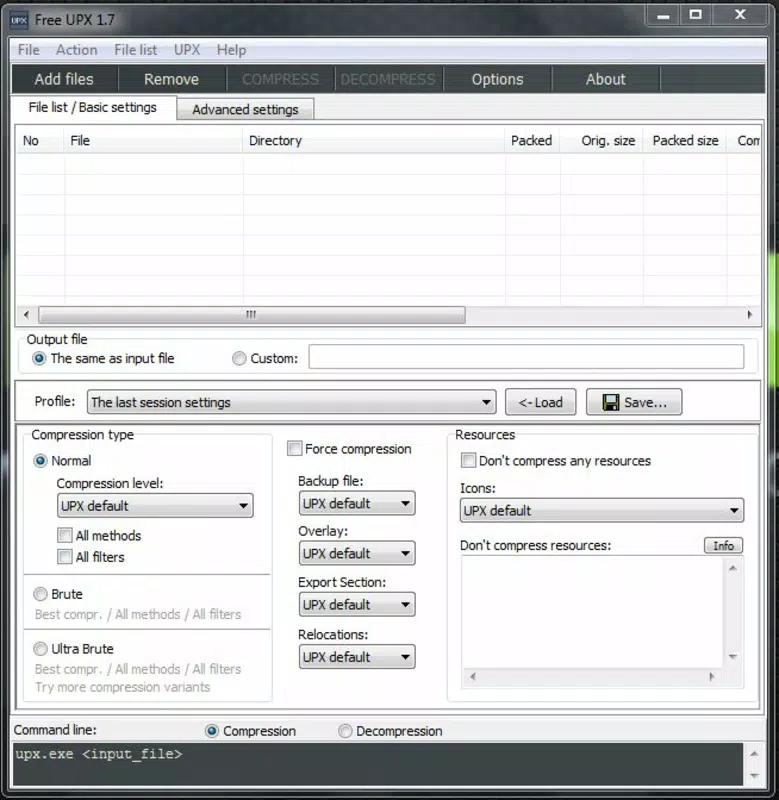
- Multiple Compression Profiles: Users can select from various preset profiles tailored to different file types and use cases. This flexibility ensures optimal compression settings based on specific needs, such as balancing speed versus compression ratio.
For example, a developer distributing a test build can compress the executable to reduce download size, while a system administrator managing legacy software can decompress files on remote machines without installing additional tools. These features collectively enhance workflow efficiency and resource management.
Interface, UX & Performance
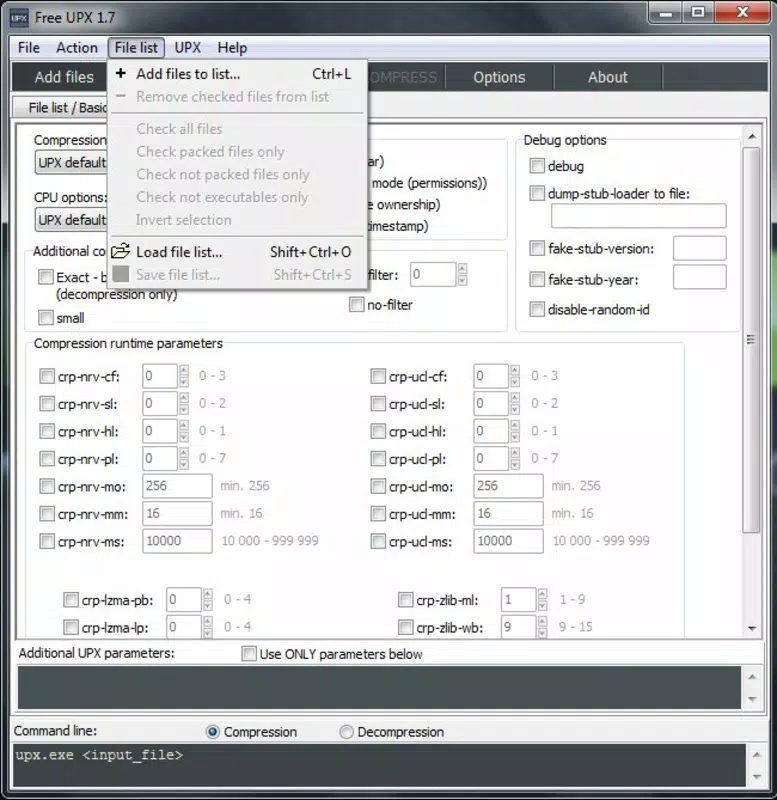
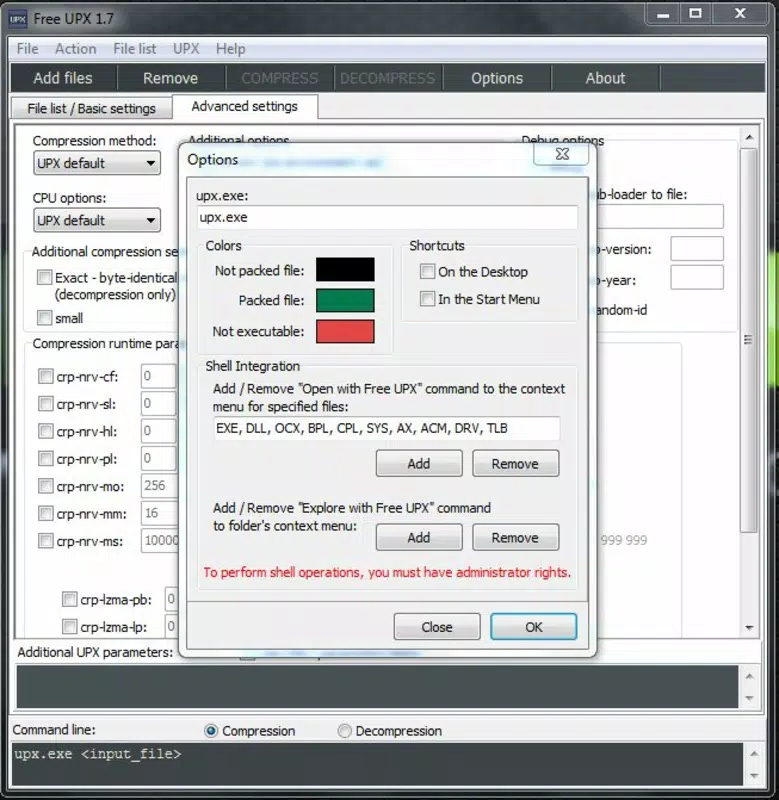
The user interface of Free UPX Portable is clean and minimalistic, prioritizing functionality over visual complexity. Navigation is straightforward, with a central workspace for file management and immediate feedback on compression status. The layout supports drag-and-drop operations, allowing users to add files quickly without navigating through file dialogs.
Responsiveness is consistent across device categories, though the developer did not list formal performance metrics. The tool processes files efficiently, with minimal delay during compression and decompression tasks. Stability appears reliable under standard usage conditions, with no reported crashes or freezes in the available documentation.
Although the developer did not specify minimum OS requirements, the application functions well on modern Windows environments. Users can expect smooth operation on both desktops and laptops, with no noticeable lag during routine tasks. The lack of background processes or startup delays enhances the overall user experience, making it suitable for time-sensitive workflows.
Platform Compatibility & Technical Requirements
Free UPX Portable is designed for Windows operating systems. The application is available in a portable format, meaning it does not require installation and can be launched directly from a USB drive or local folder. The file size is listed as 2.4 MB, making it lightweight and easy to distribute.
The specific version and minimum OS requirements were not disclosed by the developer. Compatibility information was not fully disclosed, so users should ensure their system supports running portable executables. No additional dependencies were mentioned, suggesting the tool is self-contained and ready to use upon launch.
Pros and Cons
Pros
- Portable format enables use on any computer without installation
- Simple drag-and-drop interface reduces complexity for beginners
- Fast compression and decompression with minimal resource usage
- Direct access to command line parameters for detailed analysis
- Supports multiple compression profiles for customized results
Cons
- Specific OS version requirements were not listed
- Developer did not provide detailed performance benchmarks
- No built-in file preview or batch processing features were mentioned
- Platform availability beyond Windows was not confirmed
- Limited documentation or in-app help resources
FAQ
Is Free UPX Portable safe to use?
Yes, the tool is considered secure when downloaded from trusted sources. As a portable application, it does not modify system files or registry entries, reducing the risk of unintended changes.
Can I use Free UPX Portable on macOS or Linux?
The developer did not confirm compatibility with non-Windows platforms. Based on available information, the tool is intended for Windows environments.
Do I need to install anything to run this app?
No, Free UPX Portable is designed to be used without installation. It can be run directly from a USB drive or local directory.
How do I update Free UPX Portable?
Updates are not automatically delivered. Users should check the official source for new releases and manually replace the executable file.
Can I compress any type of file with this tool?
Free UPX Portable is specifically designed for executable files (.exe, .dll). It may not work with other file types such as documents, images, or archives.
Final Thoughts
Free UPX Portable delivers a focused, efficient solution for users who need to compress or decompress executable files without the overhead of installation or complex setup. Its portability, speed, and straightforward interface make it a practical choice for developers, IT professionals, and anyone managing software binaries. While it lacks some advanced features like batch processing or detailed in-app guidance, its core functionality is reliable and well-executed.
For users seeking a lightweight, secure, and flexible tool for executable optimization, Free UPX Portable stands out as a dependable utility. It offers real value in reducing file size and improving transfer efficiency without compromising performance or system integrity.
Download Free UPX Portable now


